


Second Grade Learning Games SE
4.7170.00 Reviews
App Specs
- Version
- 9.2.1
- Updated On
- License
- $9.99
- Downloads
- 10,000+
- Developer
- RosiMosi LLC
- Categories
- Educational
- Platform
- Android
Screenshots
 Analysis by AppCompare
Second Grade Learning Games SE is the kind of educational game I would look at when a child needs extra practice but is not ready for another stack of worksheets. It comes from RosiMosi LLC and is aimed at children in the second-grade stage, with an Everyone content rating. The appeal is easy to understand: short game-based activities can make practice feel less like correction and more like play.
After spending time with it, my opinion is positive but fairly specific. I see it as a useful practice companion rather than a complete learning program. It works best when an adult chooses a sensible routine, watches for signs of boredom, and treats the game as one part of a child’s learning day. The first sessions are inviting, but the more important question is whether it still earns a place on the device after the novelty has gone. In my experience, that depends on how deliberately it is used.
What the first week feels like
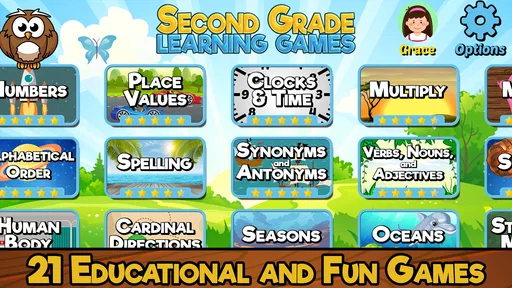
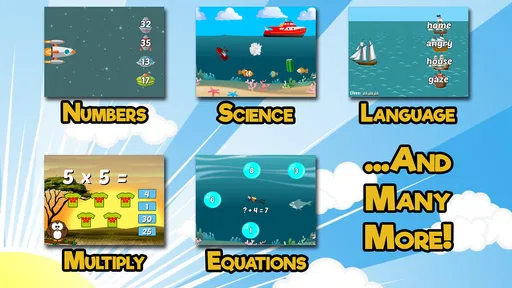
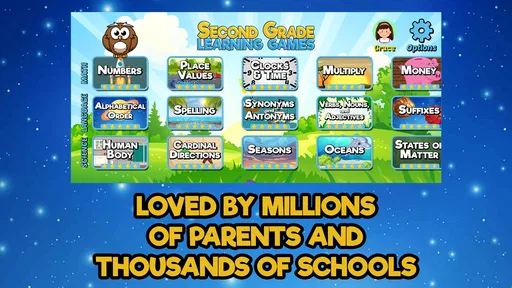
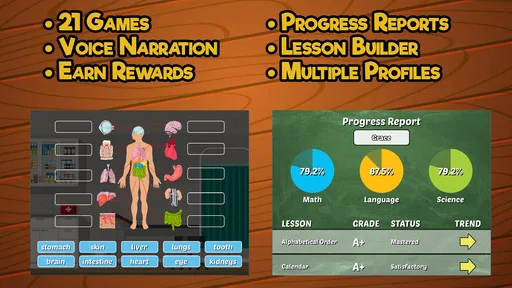
The opening appeal comes from variety. The game brings together 21 activities connected with second-grade lessons, so a child can move between different kinds of practice instead of repeating one exercise for a long stretch. That matters during the first week because children often respond better to a change of pace than to a single drill presented again and again.
I would introduce it in a quiet, low-pressure moment rather than handing it over during a rushed morning. The first session is a good opportunity to see which activities hold attention and which ones create hesitation. A child who enjoys number work may immediately gravitate toward the math-related activities, while another may prefer language or general classroom practice. That early observation is more useful than assuming every part of the package will suit every learner equally.
The game’s educational category is important here. It is not simply a collection of unrelated mini-games with school-themed decoration. Its purpose is practice for lessons associated with the second-grade level. That makes it more useful than a purely reflex-based game when the goal is to reinforce what a child is encountering at school, although it should not be mistaken for a teacher-led curriculum.
One practical advantage is that the activities can fit into small windows. A child can use a short period after school, before dinner, or while waiting for an appointment without needing a long setup. I find that especially helpful for families who want regular practice but cannot commit to a formal tutoring schedule. The best first-week routine is not an extended session; it is a brief visit that ends while the child is still willing to return.
Parents should also pay attention to independence. Some children can open the app and choose an activity confidently, while others need help understanding what each task is asking. During the first few uses, I would stay nearby, not to give answers, but to notice whether the instructions are clear enough for that particular child. If the child repeatedly asks what to do rather than working through the lesson, the game may need more adult guidance than expected.
Worth Reading Before You Choose

Flipboard Shows What News Apps Must Do Beyond the Feed

Switching to Android Auto Means Rethinking Your Driving Routine

Google Calendar Makes a Crowded Week Easier to Manage

Ludo King Makes the Most of the Minutes Between Plans

Baby Panda World Brings Quick Play to Modern Phones, but Its Game Library Feels Busy

ESPN’s Live Game View Makes Following Close Games Easier
The current version is 9.2.1, and the listed minimum operating system is 8.0. That makes compatibility worth checking before purchase, particularly on an older device used by a child. The game costs $9.99, so I would not treat the first enthusiastic session as proof that it is a good fit. A short trial routine, observed over several days, gives a much better basis for deciding whether the purchase will be worthwhile.
How I would use it after school
A realistic everyday scenario would be a child returning home tired after class and resisting homework. Instead of opening the game with a vague instruction to “practice,” I would choose one small goal, such as completing one activity before moving on to something else. The child gets a clear finish line, and the adult can see whether the game supports the lesson without turning the evening into another argument about screen time.
Another useful approach is to place it before a familiar transition. For example, a child might use it for a short practice period before a snack or a favorite non-screen activity. This makes the game part of a predictable rhythm rather than an unlimited reward. I would avoid presenting it as a punishment for poor schoolwork, because that can make the educational content feel like an unpleasant consequence.
One less obvious benefit of this routine is diagnostic. If a child performs comfortably in one activity but becomes frustrated in another, the difference can reveal where more explanation is needed. The game cannot replace a teacher’s assessment, but it can give a parent a useful conversation starter: “Which part felt confusing?” That is more valuable than focusing only on whether the child completed a session.
Whether it keeps its value from month to month
The long-term question is harder than the first-week question. A set of 21 activities sounds substantial at the beginning, but children can become familiar with a fixed collection quickly. The lasting value therefore comes less from endless novelty and more from using the activities at the right moment. I would return to it when a child needs reinforcement, not expect it to provide a completely new experience every time.
For month-to-month use, I recommend rotating purpose rather than simply rotating games. One week might focus on rebuilding confidence in a difficult area. Another might use the easier activities as a warm-up before reading, writing, or homework. This prevents the app from becoming a random tap-through exercise and gives each session a reason to exist.
A simple paper note can improve the experience. After a session, an adult can write down the activity that caused difficulty and the one that felt comfortable. There is no need for a complicated tracking system. The point is to avoid choosing the same favorite activity every time while quietly neglecting the areas that need practice. That small bit of planning is one of the differences between occasional entertainment and useful educational maintenance.
I also think the game is better suited to reinforcement than acceleration. If a child is already far beyond second-grade material, the activities may not remain challenging enough for long. In that situation, a more advanced learning tool, a book with open-ended problems, or direct work with a teacher may offer greater value. Conversely, a child who is still building basic confidence may benefit from repeating familiar activities without the pressure of moving ahead too quickly.
The rating gives some indication that the game has been well received: it holds a 4.7 average from over 600 ratings, with more than 170 written reviews. I would read that as encouraging rather than conclusive. Ratings tell me that many families found the product worthwhile, but they cannot predict whether a particular child will enjoy the pace, understand the instructions, or stay interested after repeated use.
The install figure is over 10 thousand, which places it in the category of a modestly established educational game rather than an unknown experiment. That can make the purchase feel less risky, but it does not change the central trade-off: the value depends on consistent, purposeful use. A child who opens it once and never returns will not get much from it, regardless of how many activities are included.
Building a routine without making it feel like homework
I would keep sessions short enough that stopping is easy. The exact length should follow the child’s attention, not an arbitrary target. If the child starts guessing, rushing, or asking to leave after every task, continuing usually teaches persistence in the wrong way. Ending on a successful activity can make the next visit more inviting than forcing completion of a predetermined amount.
It is also helpful to alternate independent play with conversation. After a session, I might ask the child to explain one answer or describe which activity was most enjoyable. This turns screen time into a chance to practice language and reasoning aloud. The adult does not need to turn every answer into a test; a relaxed explanation can reveal understanding that a score or completion mark does not show.
Families with more than one child should be careful about comparison. Even when children are close in age, one may find the material comfortable while another needs more support. Using the same game as a race can create unnecessary frustration and shift attention away from learning. I would let each child work at a separate pace and judge progress against their own previous experience.
Maintenance, friction, and the reasons interest may fade
The maintenance burden is not mainly technical; it is parental. Someone has to decide when the game is useful, keep sessions from becoming aimless, and notice when the child is no longer learning from repetition. That is manageable for a family that wants a small practice tool, but it may feel like extra work for parents hoping for a fully self-directed solution.
The fixed collection of activities is both a strength and a limitation. A defined set is easier to understand than a huge platform filled with distracting choices. At the same time, once a child knows the patterns, the challenge may shift from thinking through the lesson to remembering how the activity works. I would occasionally ask the child to explain the reasoning behind an answer, especially when the response seems too quick.
Fatigue can also come from mismatch. A child may be at the right age but not at the right level in every subject. Some tasks may feel too easy, while others may expose a gap that makes the game frustrating. That is not necessarily a flaw in the app, but it means the adult should be ready to stop, explain, or switch activities instead of treating every difficult moment as a motivation problem.
Another source of wear is the expectation that educational games should replace ordinary learning materials. This one is not the right choice if a family needs detailed progress reporting, individualized instruction, or a complete lesson sequence managed by an adult teacher. A workbook may be better for handwriting and extended written responses. A reading session with a parent may be better for comprehension and discussion. A classroom or tutor remains better for feedback that changes in response to a child’s exact mistakes.
The price makes this comparison more important. At $9.99, it is a paid purchase rather than a free experiment, so I would think about likely frequency of use before buying. If the child enjoys short practice sessions several times across a month, the cost can feel reasonable. If the child dislikes educational games or already has access to a stronger school-supported program, the same purchase may sit unused.
I would also avoid using it as a default babysitter. Even a well-designed educational game can become passive when a child is left to tap through familiar activities without reflection. A few minutes of adult attention can make the difference between meaningful practice and routine screen consumption. That is the main maintenance habit I would preserve: check in occasionally, but do not hover over every answer.
Who will get the most from it
This game is a good match for a child who enjoys learning through short activities, needs extra repetition of second-grade lessons, and responds well to a friendly digital format. It may also suit families looking for a compact option during travel or for brief after-school practice, provided the device meets the minimum operating-system requirement.
I would be more cautious for a child who needs a lot of reading support, becomes upset by mistakes, or expects a constantly changing game world. Those children may need an adult beside them, a slower paper-based approach, or a tool designed around a specific learning difficulty. The Everyone rating makes the content broadly suitable for children, but age suitability is not the same as individual learning fit.
Compared with ordinary educational alternatives, its advantage is convenience and variety in a single paid game. Compared with a workbook, it can feel more inviting and less repetitive at the start, but it offers less room for handwriting and open-ended answers. Compared with a broad subscription platform, it is narrower and easier to keep focused, but it may not provide the same depth, personalization, or continuing supply of material. I would choose it when simplicity matters more than a large ecosystem.
My long-term verdict
Second Grade Learning Games SE earns lasting space best as a small, reusable practice tool, not as the center of a child’s education. I like the combination of second-grade focus and activity variety, and I can see it helping a child who needs regular reinforcement without another formal lesson. The first-week appeal is genuine, but it becomes durable only when a parent gives each session a clear purpose.
My strongest recommendation is to establish a modest routine, observe which activities remain useful, and let the child stop before fatigue turns practice into resistance. Keep a simple note of recurring trouble spots, discuss answers occasionally, and bring in books, conversation, or teacher guidance when the game reaches its limits. Those habits protect the app from becoming background noise.
For $9.99, I would buy it for a second-grade learner who enjoys game-based practice and needs a convenient way to revisit school skills. I would skip it for a child who needs a complete curriculum, extensive progress tools, or material well beyond this level. RosiMosi LLC has made a focused educational game with a clear role; in my view, it keeps that role over time when families use it deliberately rather than expecting novelty to do all the work.
My final take: this is worth considering when you want approachable second-grade practice in short sessions, but its real value comes from the routine around it. It is not a substitute for teaching, and it will not stay fresh forever on its own. Used as a flexible supplement, however, it can remain a practical part of a child’s learning week.
Pros
- Covers core second-grade skills in a child-friendly format.
- Short activities make it easy to fit learning into daily routines.
- Bright visuals and rewards can help maintain children’s attention.
- Useful for independent practice with simple on-screen instructions.
- Offers varied exercises across subjects instead of focusing on one skill.
Cons
- Some activities may feel repetitive after extended use.
- Younger children may still need help navigating certain menus.
- Learning progress may be limited without regular adult guidance.
- The educational content may not match every school’s curriculum.
- Extra features or full content may require an in-app purchase.
FAQs for Second Grade Learning Games SE
What is Second Grade Learning Games SE?
Second Grade Learning Games SE is an educational app designed to help children practice important second-grade skills through interactive activities and simple games. It generally focuses on subjects such as mathematics, reading, spelling, grammar, science, and problem-solving. The lessons are presented in a child-friendly format, making practice feel less like traditional homework and more like short, engaging learning sessions.
What subjects and skills can children practice in the app?
The app covers a range of skills commonly associated with second-grade learning. Depending on the available version and device, children may find exercises involving addition and subtraction, multiplication basics, word problems, spelling, vocabulary, sentence structure, reading comprehension, time, money, patterns, and general knowledge. This variety makes it useful for reinforcing classroom topics rather than concentrating on only one academic area.
Is Second Grade Learning Games SE suitable for independent use by children?
The activities are designed to be straightforward enough for many children to use with limited assistance, especially when they already understand basic tablet controls. Instructions are usually presented in a simple way, and the game-like format can help children remain focused. However, parents or teachers should still check the first few sessions, explain unfamiliar topics, and review progress because the app should support learning rather than replace adult guidance.
Does the app require an internet connection or include in-app purchases?
Requirements can vary according to the platform version, developer updates, and the specific content included in the download. Many educational games allow at least some activities to work offline, but an internet connection may be needed for installation, updates, advertisements, analytics, or additional content. Before downloading, parents should review the official store listing for current information about offline access, advertising, subscriptions, and any in-app purchases.
Is Second Grade Learning Games SE safe and appropriate for young learners?
The app is intended for children at approximately the second-grade level, so its educational content is generally presented with simple language, colorful visuals, and age-appropriate challenges. Even so, parents should inspect the privacy details, advertising policy, permissions, and external links shown on the official app store page. It is also wise to enable parental controls and supervise use, particularly if the device is shared or connected to the internet.


